

Works wherever you do, even on glass!~!
Optical and traditional laser mice use irregularities in the surface to track the direction and speed of your mouse. The more irregularities on a surface, the easier it is for the sensor to track your movements.
But use your mouse on a smooth, glossy surface like clear glass, and there just aren’t enough imperfections for your standard mouse to work. This is where Darkfield Laser Tracking comes in. Darkfield uses the smallest possible details to create a micro-road map of the surface—so you get better precision on more surfaces.
Can this mouse do everything?
Just about. Keep in mind, however, that we haven’t designed the first two mice with Darkfield Laser Tracking for gamers or for those working on laboratory-grade clean glass.
If you’re making lighting-fast maneuvers and need gaming-grade cursor speed, take a look at the Logitech® G9x Laser Mouse.
And if you’re working on exceptionally clean glass, you may have to wait until the dust settles. For surfaces with fewer than 44 microscopic details (per square millimeter) that are less than 5 µm wide and 1.5 µm thick—to give some context, a strand of human hair is about 100 µm wide—you may want to swipe your hand across the surface before using your mouse.
But for everyone else, Darkfield Laser Tracking gives you precise cursor control on virtually any surface—even glass.
*At least 4 mm thick.
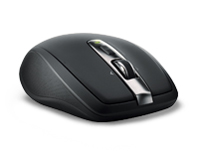
Yeah rock it baby now i can virtually work on any surface!!
Logitech Anywhere Mouse M905 !!


Happy Chinese New Year!!
P1203987
Originally uploaded by Hellfire8888

This cute lion to usher the coming Chinese New Year 2011!!!


Howto configure celcom 3G Huawei
1. Refer to the manual on how to install the software and the driver.
2. On your desktop, there will be a Mobile Connect icon. Double click it to open Mobile Connect application.
3. If it requires PIN, enter 1234 (this is the default PIN unless you have changed the PIN). If not, just go to step no 4.
4. Go to Settings, and select Manual and select Celcom.
5. Then go to Settings again, select Choose Connection Type and choose 3G only. This is to ensure that the device will only connect to 3G network.
6. Go to Settings one more time and choose Network Connection Settings.
i. Click New and enter the profile name. Eg: Celcom 3G.
ii. Authetication - number: *99#; Username: ; Password:
iii. DNS Settings choose Dynamic.
iv. APN and Additional Settings: Static; APN: celcom3g
v. IP Settings: Dynamic
vi. Authetication Protocol: CHAP
vii. WINS Settings: Dynamic
7. Click on Save button and Ok to accept the configuration.
8. Finally, click Connect and start surfing with your Celcom 3G broadband.
Bye bye streamyx say yes to unifi
Lately i dump my streamyx connection in exchange for Unifi VIP5 package. I get very fast upload and download speed now. extremely happy user :) i get average 4.9 Mbps
My setup to is far from my TV so to enable the set top box to reach it i use Axtech home plug. but there is a catch..you cant plug the Aztech home plug to an extension cord cause it wont work properly. You need to plug it into the direct wall socket..